How Much Does Phantom Load Really Cost You?
By Jim Vernon · 5 min read · Last updated
Your TV is 'off' the way a car is 'off' at a red light — still running, just idling.
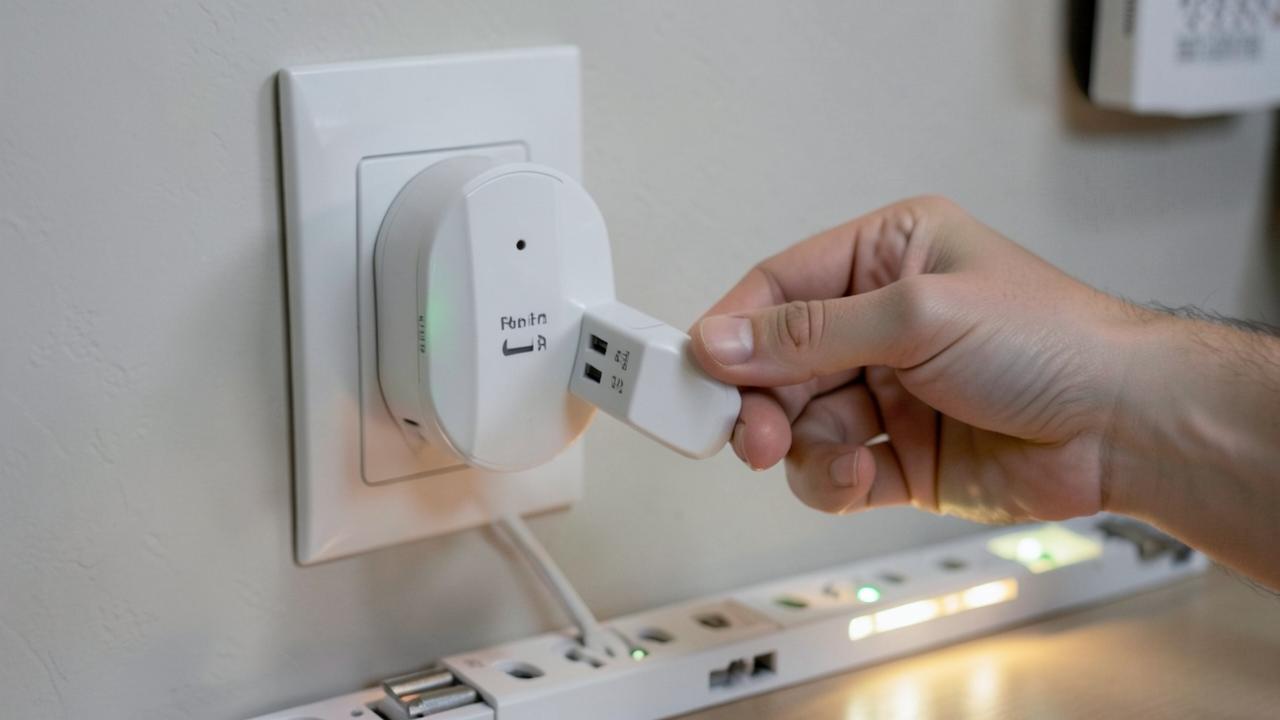
Phantom load (also called standby power or vampire power) is electricity consumed by devices that are plugged in but not actively in use — game consoles, TVs, cable boxes, chargers, and countertop appliances with digital clocks or standby modes. For a typical US household, phantom load adds up to roughly 5-10% of total electricity use, commonly $100-200 per year, and a $20-30 plug-in watt meter is the cheapest reliable way to find out which specific devices are the worst offenders in your home.
Which household devices draw the most phantom power?
| Device | Typical standby draw | Est. annual cost (at $0.16/kWh, 24/7 standby) |
|---|---|---|
| Cable/satellite box (non-DVR) | 15-25W | $21-$35 |
| Cable/satellite DVR box | 25-40W | $35-$56 |
| Game console (idle/rest mode) | 10-25W | $14-$35 |
| TV (plugged in, off) | 0.5-3W | $0.70-$4.20 |
| Desktop computer (sleep mode) | 2-5W | $2.80-$7 |
| Cable modem + router (always on) | 8-15W | $11-$21 |
| Phone/laptop charger (plugged in, no device) | 0.1-0.5W | $0.15-$0.70 |
| Microwave (clock display) | 3-5W | $4.20-$7 |
How do you actually measure this in your own house?
- Buy a plug-in watt meter (Kill A Watt and similar brands, $20-30) that shows instantaneous watts and can log cumulative kWh over time.
- Test the usual suspects first: cable/satellite boxes, game consoles, home office equipment, and any appliance with a always-on digital display or remote control receiver.
- Let it log for 24-48 hours where possible rather than a single instant reading, since some devices cycle between low and higher standby states.
- Multiply the measured watts by hours per year (8,760 for always-plugged-in devices) divided by 1,000, then by your utility's per-kWh rate, to get an annual cost per device.
What's actually worth unplugging versus not bothering with?
- Worth it: cable/satellite boxes and DVRs on a smart plug with a schedule (many don't need to record overnight), game consoles switched to full power-off instead of rest mode when not used for days, and unused chargers left plugged into an outlet with nothing attached.
- Marginal: phone and laptop chargers with nothing plugged in draw so little that a whole house of them totals under $5-10 a year — worth tidying for safety and clutter, not meaningful savings.
- Not worth the hassle: refrigerators, thermostats, security systems, and Wi-Fi routers that need to stay on for the home to function normally.
Do smart power strips actually help?
A smart power strip (roughly $20-40) cuts power to peripheral outlets when a 'master' device (like a TV) powers off, which is effective for entertainment centers where a TV, soundbar, and game console all sit dormant together — this can eliminate $30-60 a year in combined standby draw from that one cluster of devices. It's less useful for single always-needed devices like a router, which should stay on its own always-powered outlet.
How does phantom load compare to other easy energy-saving changes?
Switching incandescent bulbs to LEDs typically saves far more per year ($75-150+ for a whole house) than chasing phantom load, and adjusting a thermostat schedule or sealing air leaks around windows and doors often saves hundreds of dollars annually versus phantom load's typical $100-200 total. Phantom load reduction is worth doing because it's cheap and requires no behavior change once set up (a smart power strip keeps working without daily effort), but homeowners looking for the single biggest annual savings should prioritize lighting, heating/cooling efficiency, and appliance upgrades first, then treat phantom load as a smaller add-on improvement.
What's the best way to prioritize which devices to test first?
Start with anything that has a remote control, a always-on digital clock or display, a charging brick, or a 'quick start' feature, since these are specifically designed to stay partially powered for convenience. Entertainment centers (TV, soundbar, cable box, game console together) are usually the single highest-value cluster to test, often responsible for $50-100 of the typical household's $100-200 annual phantom load total. Home offices with a desktop computer, monitor, printer, and modem/router running continuously are the second most common high-draw cluster worth measuring with a plug-in meter before deciding whether a smart power strip is worth adding.
Do EV chargers and pool pumps count as phantom load when idle?
No — phantom load specifically refers to draw from devices that are nominally off or in standby, not equipment that's simply not running a full cycle. An EV charger's idle draw when no car is plugged in is typically under 5 watts, negligible compared to its 30-50 amp active charging draw, and a pool pump on a timer draws zero when its schedule has it off. These large appliances are worth managing for total energy cost through scheduling and efficient run times, but they are a separate category from the standby electronics phantom load analysis focuses on.
Frequently asked questions
Does unplugging everything at night really move the needle on my bill?
For most households, targeting the handful of high-draw devices (cable/satellite boxes, game consoles, older desktop computers) captures most of the available savings; chasing every phone charger and small appliance yields diminishing, often sub-$1-a-year returns for the effort involved.
Is phantom load worse with older appliances?
Generally yes — older electronics, especially pre-2010 cable boxes, game consoles, and CRT-era TVs and their peripherals, often lack efficient standby circuitry and can draw two to three times more idle power than current-generation equivalents, making device age a reasonable first filter for where to test.
How does phantom load show up on a utility bill versus a smart meter app?
It doesn't appear as a separate line item on either — it's baked into total kWh used. A smart meter app showing hourly usage can reveal a consistent baseline load overnight when nothing should be running, which is a good clue that meaningful phantom load exists and is worth investigating with a plug-in meter.
Run the numbers for your own project
- Appliance Running Cost CalculatorHow much does this appliance cost to run?
- Energy Savings CalculatorWill this upgrade pay for itself?
Keep reading
- How Much Paint Do You Actually Need for a Room?The tin says 400 square feet. Your wall says otherwise. Here is the arithmetic that actually holds up.
- DIY or Hire a Pro? A Decision Framework That Is Not About MoneyThe labour saving is real. So is the cost of a job done twice — and of tools you use once.
- Storage for Small Rooms That Does Not Make Them SmallerSmall rooms do not need more storage. They need storage that stops interrupting the eye.