How Do You Safely Mount a Heavy TV on Metal Studs Without It Falling?
By Jim Vernon · 9 min read · Last updated
Your new 75-inch TV looks gorgeous in the box, but mounting it to metal apartment studs using the standard hardware kit is a guaranteed way to rip your drywall to shreds.
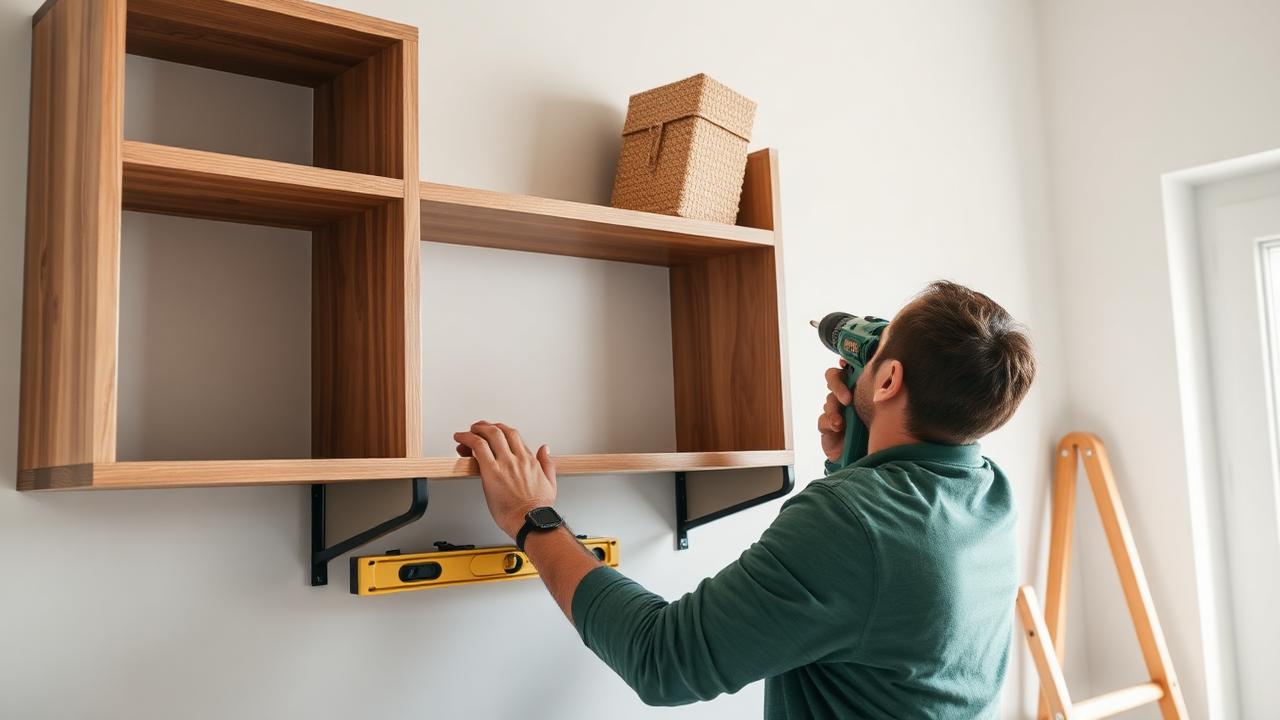
To mount a heavy TV on metal studs, you must abandon traditional wood lag bolts and instead use heavy-duty toggle anchors—specifically 1/4-inch (6.3 mm) snap toggles—that grip the inside flange of the steel stud, or bridge two studs with a 3/4-inch (19 mm) plywood backer board. Because most commercial apartments and newer condos are built with thin, 25-gauge steel framing, the standard screws included with your TV mount will simply strip the metal and eventually tear out under the shear weight of a television. By drilling 1/2-inch (12.7 mm) holes completely through the drywall and the steel stud, you can slip a threaded steel toggle channel behind the stud flange. Once tightened, this setup distributes the load against the entire metal channel rather than relying on a few brittle threads, ensuring your screen stays permanently and securely on the wall.
- Never use the standard wood lag bolts included with your TV mount on metal studs; they will strip the thin steel and fail.
- Use 1/4-inch (6.3 mm) snap toggles to anchor fixed or tilting mounts directly to metal studs.
- For full-motion articulating mounts or TVs over 65 inches, install a 3/4-inch (19 mm) plywood backer board across two studs first.
- Drill through metal studs using a 1/2-inch (12.7 mm) titanium or cobalt drill bit at low speed to avoid melting the bit.
- Expect to spend roughly $15 to $45 in 2026 for the specialized hardware and plywood required for a safe installation.
Why Can't You Use Standard Lag Bolts on Metal Studs?
The most common failure mode in apartment TV installations happens when a homeowner tries to drive the provided 5/16-inch (7.9 mm) lag bolts into a metal stud. Interior metal studs are typically 25-gauge steel, which is only about 0.018 inches (0.45 mm) thick. When a heavy lag bolt bites into this thin material, it acts like a dull hole punch rather than a threaded fastener.
The threads instantly strip the metal, leaving the bolt spinning freely. This creates a false sense of security. The bolt might feel snug because it is wedged in the drywall, but the moment you extend a heavy television outward, the leverage yanks the bolt straight through the mangled steel and drywall, sending your TV crashing to the floor.
To prevent this catastrophic failure, you must recognize what material you are drilling into before you mount the bracket. If your drill bit suddenly punches through a hollow void after passing the drywall, or if you pull out shiny, curled metal shavings instead of wood dust, you have metal studs. Stop immediately and switch your hardware.
- 25-gauge metal studs cannot hold the threads of a coarse wood lag bolt.
- Stripped metal studs offer zero shear or pull-out strength.
- A falling TV can cause serious injury, destroy drywall, and ruin a $1,000 appliance.
What Hardware Actually Works for Metal Studs?
This is a classic judgement call that separates a professional installer from a beginner. A beginner trusts the hardware kit that comes in the TV mount box, assuming it works for all walls. A pro throws those lag bolts in the trash the moment they detect metal framing and reaches for snap toggles instead.
A snap toggle, often sold under brand names like Toggler, consists of a solid, threaded metal channel attached to two plastic zip-straps. You push the metal channel flat through a 1/2-inch (12.7 mm) hole, use the straps to pull it flush against the inside of the metal stud, and slide a plastic cap down to lock it in place. You then snap off the excess plastic. This leaves a permanent, fixed metal nut seated securely behind the steel stud flange. In 2026, a 10-pack of heavy-duty 1/4-inch snap toggles costs around $14 to $18, and four of these are capable of holding well over 200 pounds (90 kg) when installed correctly through metal framing.
- Pros use 1/4-inch (6.3 mm) snap toggles exclusively for hollow metal framing.
- The metal channel spreads the weight load across a wide surface area of the stud.
- Never substitute lightweight plastic drywall anchors; they are not rated for the dynamic loads of a TV.
How Do You Find the Dead Center of a Metal Stud?
Finding the exact center of a metal stud is critical because a snap toggle needs to seat flat against the back of the stud flange. If you drill too close to the edge, the metal channel will hit the side wall of the C-shaped stud and fail to deploy properly.
Standard density-based stud finders often struggle with metal studs, giving falsely wide readings. Instead, use a rare-earth magnetic stud finder. Slide the magnet vertically along the wall until it violently snaps onto a drywall screw. Because drywallers must sink screws into the center flange of the stud to avoid missing the narrow edge, locating a vertical column of these screws gives you a perfect center line. Keep in mind that metal studs in commercial buildings are frequently spaced 24 inches (60.9 cm) apart on center, rather than the traditional 16 inches (40.6 cm) used in wood framing.
- Use a powerful rare-earth magnet to locate the drywall screws.
- Mark multiple screws vertically to draw a precise center plumb line.
- Check for 24-inch (60.9 cm) spacing, which may require a wider TV mounting bracket.
How Do You Drill the Anchor Holes Without Wrecking the Stud?
Drilling a clean 1/2-inch (12.7 mm) hole through drywall and thin steel requires patience. If you just grab a massive 1/2-inch bit and push hard, the bit will catch the thin metal, bend the stud backward, and tear a jagged hole that weakens the toggle's holding power.
Start with a 1/8-inch (3.1 mm) titanium or cobalt pilot bit. Set your drill to a low speed. Apply firm, steady pressure so the bit cuts into the metal rather than spinning fast and melting the tip. Once the pilot hole is clean, step up to the 1/2-inch (12.7 mm) bit. A specialized step-bit (commonly used by electricians) is actually the best tool here, as it gradually widens the hole without catching and tearing the thin 25-gauge steel.
- Always drill a small 1/8-inch (3.1 mm) pilot hole first.
- Use titanium or cobalt bits on a low speed setting to cut rather than burn.
- Let the drill do the work to avoid pushing the flexible metal stud away from the drywall.
When Should You Use a Plywood Backer Board Instead?
Snap toggles are excellent for flat or slightly tilting mounts. However, if you are installing a full-motion articulating mount, or if your TV exceeds 65 inches and 80 pounds (36 kg), toggles alone are no longer sufficient. The issue isn't the toggle failing; it is the thin metal stud itself twisting under the intense cantilevered leverage of a heavy TV pulled two feet off the wall.
To solve this, you must install a plywood backer board. This involves bridging two metal studs with a piece of 3/4-inch (19 mm) cabinet-grade plywood. The plywood distributes the heavy, pulling torque across a massive surface area and prevents the steel studs from flexing or twisting inside the wall cavity.
- Articulating (pull-out) mounts apply massive leverage that can twist 25-gauge studs.
- A plywood backer board neutralizes twisting forces by bridging two studs together.
- Use 3/4-inch (19 mm) structural plywood, never MDF or particleboard, for this bridge.
How Do You Install and Secure a Plywood Backer Board?
Cut your 3/4-inch (19 mm) plywood large enough to span your studs (usually 26 inches wide for 24-inch stud spacing) but small enough to remain hidden behind the TV screen once mounted. Sand the edges and paint the board the exact color of your wall so it blends in seamlessly. In 2026, a 2x4-foot project panel of quality birch plywood costs about $35 at most home centers.
Hold the plywood against the wall, level it, and drill four 1/2-inch (12.7 mm) holes through the wood, drywall, and metal studs. Secure the board tightly to the wall using four 1/4-inch snap toggles and the accompanying machine screws. Once the plywood is rock-solid against the wall, you can attach your metal TV bracket directly to the wood using standard 1-inch (25.4 mm) wood screws. Do not use screws longer than 1 inch, or you risk hitting electrical wires behind the drywall.
- Paint the plywood to match the wall for a clean, professional aesthetic.
- Secure the plywood to the metal studs with at least four 1/4-inch snap toggles.
- Mount the TV bracket directly to the center of the plywood using 1-inch (25.4 mm) wood screws.
How Do You Actually Hang the Mount and Hide Cables Safely?
With the bracket firmly attached to either the toggles or the plywood backer, test the stability by pulling firmly down on the mount arm. It should not flex or creak. Hang the television onto the bracket rails, ensuring the safety locks click into place. Always have a second person help lift the television; modern screens are fragile, and squeezing the bezel too hard during a solo lift will easily crack the internal display panel.
Finally, handle your cables legally. Never snake the TV's flexible power cord through the wall cavity to hide it. Flexible extension cords and TV power cables lack the thick, heat-resistant sheathing required by the National Electrical Code for in-wall use. If they overheat, they can cause a fire. Instead, use a code-compliant in-wall power management kit, which utilizes proper Romex wiring to bridge a new outlet behind the TV down to your existing baseboard outlet safely.
- Listen for the audible click of the safety locks when setting the TV on the rail.
- Never grab a modern TV by the glass screen; lift only from the bottom chassis.
- Use an NEC-compliant in-wall power kit rather than dropping standard power cords behind drywall.
| Hardware Type | Grip Mechanism | Suitability for Metal Studs | Failure Risk |
|---|---|---|---|
| Standard Lag Bolts | Coarse threads biting into material | DO NOT USE | High: Strips 25-gauge metal instantly, leading to pull-out. |
| Plastic Drywall Anchors | Expands inside the drywall | DO NOT USE for TVs | High: Cannot handle cantilevered pulling force; shreds drywall. |
| 1/4-inch Snap Toggles | Steel channel locks behind stud flange | Excellent (Fixed/Tilt Mounts) | Low: Distributes weight across the entire metal stud flange. |
| Plywood Backer Board | Bridges two studs via snap toggles | Required for Articulating Mounts | Very Low: Prevents thin steel studs from twisting under heavy torque. |
Frequently asked questions
Can I just use heavy-duty plastic drywall anchors for a light TV?
No. Even if a plastic anchor is rated for 75 pounds, that rating is for a static, sheer load hanging straight down. A TV on a mount exerts a dynamic, pulling force away from the wall. Plastic anchors will eventually loosen and pull free.
How can I tell for sure if my apartment has metal studs without drilling?
Take off a switch plate cover on the wall and look into the side of the electrical box with a flashlight. You can often see the side of the stud the box is mounted to. If it is shiny steel rather than wood grain, you have metal studs.
Will my landlord charge me for using snap toggles?
Snap toggles require 1/2-inch (12.7 mm) holes, which are larger than standard screw holes. When you move out, you must push the toggles into the wall cavity and patch the holes with joint compound. If patched properly, most landlords will not notice or charge you.
What size machine screws do 1/4-inch snap toggles take?
A standard 1/4-inch snap toggle uses 1/4-20 machine screws. You will typically need screws that are 2 to 2.5 inches (50 to 63.5 mm) long to pass through the TV mount, the drywall, and reach the threaded channel behind the stud.
Keep reading
- How Much Paint Do You Actually Need for a Room?The tin says 400 square feet. Your wall says otherwise. Here is the arithmetic that actually holds up.
- DIY or Hire a Pro? A Decision Framework That Is Not About MoneyThe labour saving is real. So is the cost of a job done twice — and of tools you use once.
- Storage for Small Rooms That Does Not Make Them SmallerSmall rooms do not need more storage. They need storage that stops interrupting the eye.